
New! Beginning Data Cleaning (ETL) & Analytics Project for Alteryx: KAT Concession Supply

This is the second of ten projects in a set that focus on data cleaning and analytics! Read on for how to request this first beginning level project that uses Alteryx for data cleaning and analytics.

Image of opening slide of Alteryx Beginner project.

A key step in data analytics is getting the data ready for use – in fact, this step can take more time and effort than the analysis of the data. This brand-new Alteryx project focuses on the data cleaning aspect of data analytics and is appropriate for introductory accounting – but could be adapted to any accounting class.

KAT Concession Supply is a fictitious company that supplies food, paper products, and other items to fairs, amusement parks, and other organizations. Information in the KAT Concession Supply data sets includes information about its sales over a three-year period. The data from KAT Concession Supply has errors and irregularities in it and it must be cleaned so that an interactive dashboard about its operations can be prepared. This Alteryx project is classified as beginner because it takes less than an hour to complete the entire project and the Alteryx steps are pretty basic.

Complete step-by-step tutorial videos and an instructor guide are available to make project adoption easy and painless in accounting courses. The project is available at no cost for instructors to use in their classes.

Beginner project for Alteryx

The data cleaning and other tasks in the beginner version of the Alteryx data cleaning project are:

  1. Input and view data
  2. Identify and remove duplicate records
  3. Remove unwanted characters such as spaces and nonprintable characters from fields
  4. Convert dates stored as text to fields formatted as dates
  5. Find and replace text with replacement text
  6. Split one field into two fields
  7. Remove empty columns and rename columns
  8. Save new file to Excel
  9. Correct spelling errors in Excel
  10. Create a two-visualization interactive dashboard

Tutorial videos/PDFs

Complete step-by-step instructions are provided for this project. Students have the choice of viewing the tutorial videos or downloading a pdf file of the annotated slides. The tutorials for this project have been split into two parts. You can view the tutorial videos here as a preview of this project:

  1. Part 1: Data cleaning tutorial (video | pdf)
  2. Part 2: Dashboard tutorial (video | pdf)

***You can obtain the Instructor Guide for the KAT Concession Supply beginning data cleaning project for Excel and Alteryx by requesting it at this link.*** The instructor guide contains the data set, solutions, and other information.

Give us about 5 – 8 days to respond – but check your Spam folder for the email if you do not see our email within that approximate time frame. (You may want to add drwendytietz@gmail.com to your Safe Senders list. Please don’t email to that email address – that is an email address used solely for distributing the project resources we have developed. Thank you!)

News flash: This data cleaning project is the second project in a set of ten data cleaning and visualization projects developed by Wendy Tietz, Jennifer Cainas, and me. We will be releasing new projects approximately twice a month for the remainder of 2022. These projects will be available in three levels: Beginner (five data cleaning techniques plus two-visualization dashboard); Intermediate (beginner steps with seven additional data cleaning techniques plus three-visualization dashboard); and Advanced (intermediate steps with additional data cleaning techniques plus four-visualization dashboard.) In addition, the projects will be available in four software tool combinations: Excel, Google Sheets, Tableau Prep combined with Tableau, and Alteryx combined with Power BI.
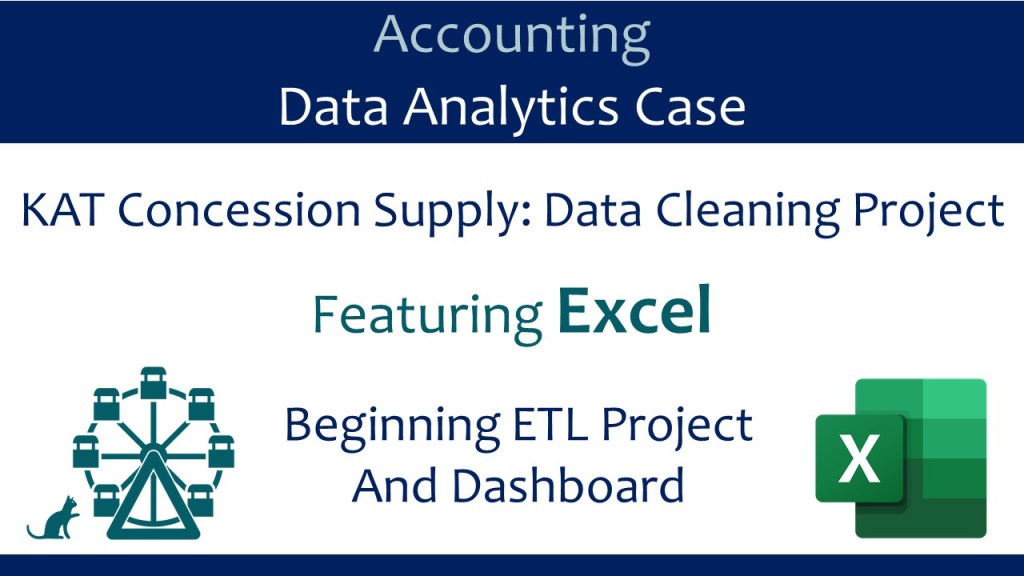
New! Beginning Data Cleaning (ETL) & Analytics Project for Excel: KAT Concession Supply

We are super excited to share the first of ten projects in a set that focus on data cleaning and analytics! Read on for how to request this first beginning level project that uses Excel for data cleaning and analytics.

A key step in data analytics is getting the data ready for use – in fact, this step can take more time and effort than the analysis of the data. This brand-new Excel project focuses on the data cleaning aspect of data analytics and is appropriate for introductory accounting – but could be adapted to any accounting class.

KAT Concession Supply is a fictitious company that supplies food, paper products, and other items to fairs, amusement parks, and other organizations. Information in the KAT Concession Supply data sets includes information about its sales over a three-year period. The data from KAT Concession Supply has errors and irregularities in it and it must be cleaned so that an interactive dashboard about its operations can be prepared. This Excel project is classified as beginner because it takes less than an hour to complete the entire project and the Excel steps are pretty basic.

Complete step-by-step tutorial videos and an instructor guide are available to make project adoption easy and painless in accounting courses. The project is available at no cost for instructors to use in their classes.

Beginner project for Excel

The data cleaning and other tasks in the beginner version of the Excel data cleaning project are:

  1. Widen all columns to automatically fit the contents
  2. Find and remove duplicate records
  3. Remove unwanted characters such as numbers, spaces, and nonprintable characters from fields
  4. Find and replace text with replacement text
  5. Change the case of a text field to uppercase or lowercase
  6. Format numbers
  7. Create a two-visualization interactive dashboard

Tutorial videos/PDFs

Complete step-by-step instructions are provided for this project. Students have the choice of viewing the tutorial videos or downloading a pdf file of the annotated slides. The tutorials for this project have been split into two parts. You can view the tutorial videos here as a preview of this project:

  1. Part 1: Data cleaning tutorial (video | pdf)
  2. Part 2: Dashboard tutorial (video | pdf)

***You can obtain the Instructor Guide for the KAT Concession Supply beginning data cleaning project for Excel by requesting it at this link.*** The instructor guide contains the data set, solutions, and other information.

Give us about 5 – 8 days to respond – but check your Spam folder for the email if you do not see our email within that approximate time frame. (You may want to add drwendytietz@gmail.com to your Safe Senders list. Please don’t email to that email address – that is an email address used solely for distributing the project resources we have developed. Thank you!)

News flash: This data cleaning project is the first project in a set of ten data cleaning and visualization projects developed by Tracie Miller-Nobles, Jennifer Cainas, and me. We will be releasing new projects approximately twice a month for the remainder of 2022. These projects will be available in three levels: Beginner (five data cleaning techniques plus two-visualization dashboard); Intermediate (beginner steps with seven additional data cleaning techniques plus three-visualization dashboard); and Advanced (intermediate steps with additional data cleaning techniques plus four-visualization dashboard.) In addition, the projects will be available in four software tool combinations: Excel, Google Sheets, Tableau Prep combined with Tableau, and Alteryx combined with Power BI.

Case FA-3001: Transaction analysis and the accounting equation for Pepper Food Delivery – Excel

In this case, students use transaction data in an Excel file to calculate assets, liabilities, equity, net income, the accounting equation, and other basic data. All work is performed in Excel. This case is suitable for early in the introductory financial accounting course – right after the accounting equation, transaction analysis, and the basic statements are covered. You can view this case at this link (this is the same link that you will use to assign to your students.)

Sample screen shot of tutorial for project

To assign the case to your students, give them this link. All student instructions are included at that link – as are links for tutorial videos for Excel skills needed and accounting concept skills needed.

How to obtain case materials

***You can obtain the solution for the Pepper Food Delivery Excel case by requesting it at this link.***

You will need to fill out a brief form and then we will verify your instructor status prior to sending you the instructor materials. We generally send the solution within a week after the request; we will contact you if we need additional information to verify your instructor status.

Be sure to add drwendytietz@gmail.com to your contacts. Check your spam folder if you have not received the materials from us within a week.

Data analytics project: Gross profit analysis for introductory financial accounting

This blog post contains a data analytics project that is suitable for introductory financial accounting. The student uses Excel to analyze a data set that contains more than 48,000 records. The data analytics project can be assigned early in the course once the concept of gross profit is reviewed.

Overview of project

This project uses sales and cost data for a fictitious cabinet hardware company, Cabinet Accessories Company (CAC.) In this project, the student will use Excel to create a variety of pivot tables, format the pivot tables, apply filters, and create calculated columns. The student also needs to cleanse the data set by finding and correcting errors in the data set. In addition, the student will create a pivot chart.

Project resources

The tutorial video has closed captioning; the annotated slides for the tutorial video have the same script. The tutorial data set is an Excel file containing a small subset of the full data set; I used this small data set in creating the tutorial video.

Office 365 or Excel 2016 (newest versions)

Anyone doing this project will need to have either Office 365 or Excel 2016. Updates Microsoft has made to Excel 2016 include the ability to automatically group dates by quarters and years (an integral part of this project), so if a student says that their pivot table does not have quarters or years (or any other issue), tell them to update their version of Office 365 and/or Excel 2016.

Solution

If you would like to have a copy of the Excel solution file, please fill out the request form. Once I verify your status as an instructor, I will email the file to you within a week. Please do not post the solution file on the internet and please do not share the solutions file with your students. The Excel solutions file is for your own use only.

Data analytics project: Fixed Asset Analysis for Hula Hut Burgers

Overview of this project

This project uses fixed asset information from anonymized and modified data for a tax client from a public accounting firm. The data set includes 1,500 fixed asset records. In this project, the student will use Excel to create a variety of pivot tables, format the pivot tables, apply filters, create calculated fields, use the slicer and timeline tool. In addition, students will be asked to analyze the data for errors. The students will prepare several different fixed asset schedules and also a pivot chart (column type) that depicts book value by asset category and region.

Project resources

Learning Objectives

  1. Create a pivot table in Excel
  2. Format a pivot table
  3. Apply filters to a pivot table
  4. Create sum columns in a pivot table
  5. Create a calculated field
  6. Use the slicer tool in a pivot table
  7. Analyze data for errors
  8. Use the timeline tool in a pivot table
  9. Create a pivot chart in Excel

Office 365 or Excel 2016 (newest version)

Anyone doing this project will need to have either Office 365 or Excel 2016. It is important that students update their version of Office 365 and/or Excel 2016.

Solution

If you would like to have a copy of the Excel solution file, please fill out the request form. (There is a separate request form for each project.) Once I verify your status as an instructor, I will email the file to you within a week. Please do not post the solution file on the internet and please do not share the solutions files with your students. The Excel solutions file is for you own use only.

Data analytics project: Transaction analysis for introductory financial accounting using the City of Somerville, MA, online checkbook data set

Overview of project

This project uses the transaction data from the City of Somerville, Massachusetts. In this project, the student will use Excel to create a variety of pivot tables, format the pivot tables, apply filters, and create calculated columns. In addition, the student will create a pivot chart. Essentially, the student is analyzing the transaction data from Somerville to answer several questions using pivot tables and charts in Excel.

Project resources

The tutorial video has closed captioning; the annotated slides for the tutorial video have the same script. The tutorial data set is an Excel file containing a small subset of the full data set; I used this small data set in creating the tutorial video.

Office 365 or Excel 2016 (newest versions)

Anyone doing this project will need to have either Office 365 or Excel 2016. Updates Microsoft has made to Excel 2016 include the ability to automatically group dates by quarters and years (an integral part of this project), so if a student says that their pivot table does not have quarters or years (or any other issue), tell them to update their version of Office 365 and/or Excel 2016.

Solution

If you would like to have a copy of the Excel solution file, please fill out the request form. Once I verify your status as an instructor, I will email the file to you within a week. Please do not post the solution file on the internet and please do not share the solutions file with your students. The Excel solutions file is for your own use only.